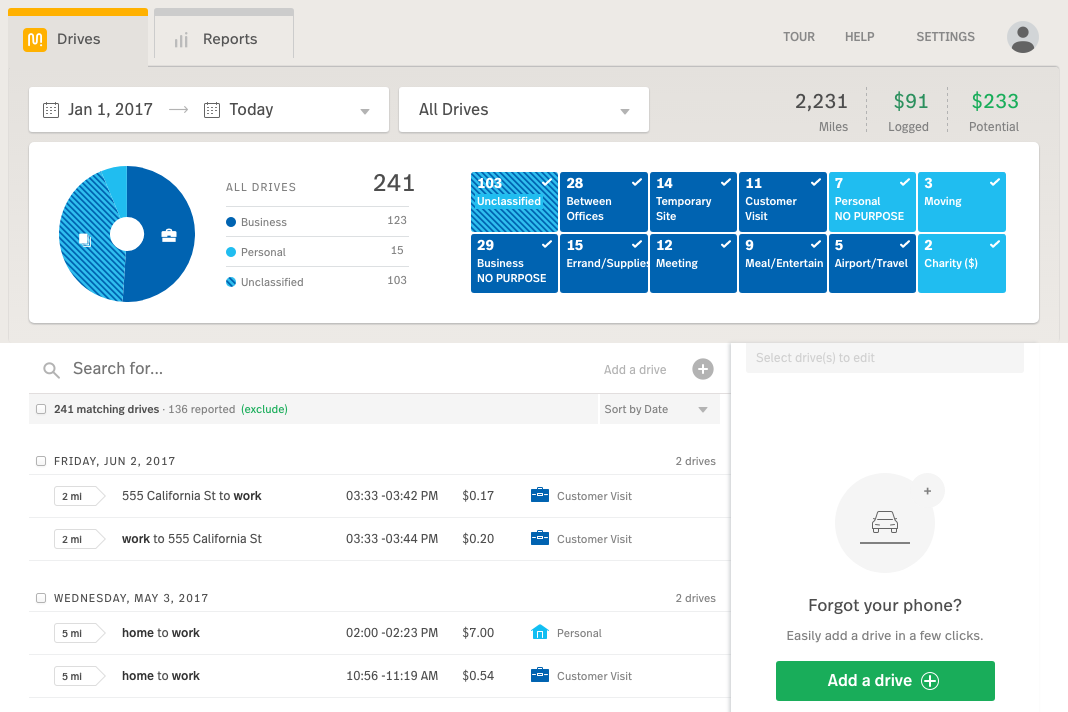
Classifying drives with MileIQ can be done in the mobile app with a simple swipe to the right for business or left for personal, or from MileIQ web dashboard.
iPhone users can take also advantage of our exclusive classification features like classifying via drive notifications and bulk classifying today's drives with the Drive Classifier widget.
Mobile App
After you've installed the MileIQ app, the next step is to take a drive. Until you take a drive, nothing will be displayed in the app, as the best part of MileIQ is the fact that drive detection is automatic! There's currently nothing to press to start or stop a drive.
Business / Personal Classification
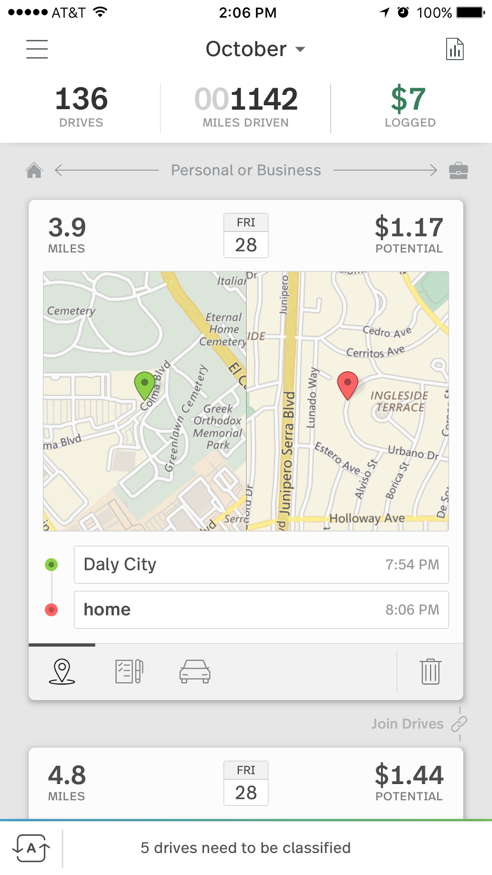
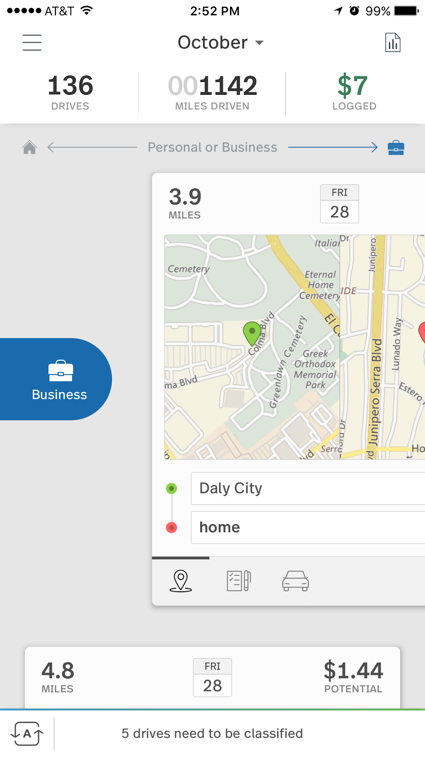
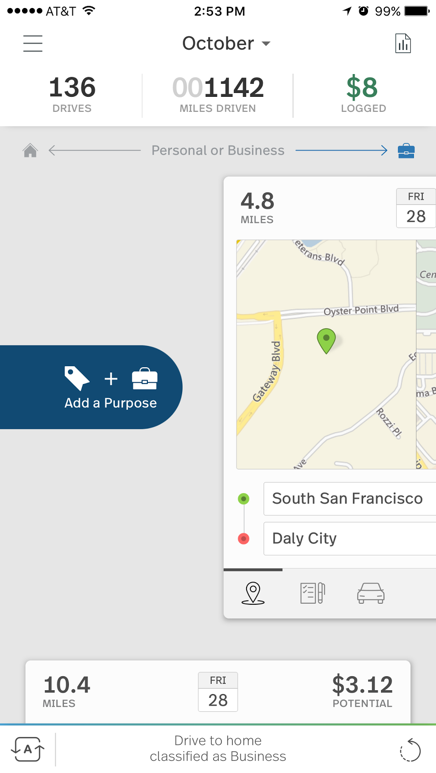
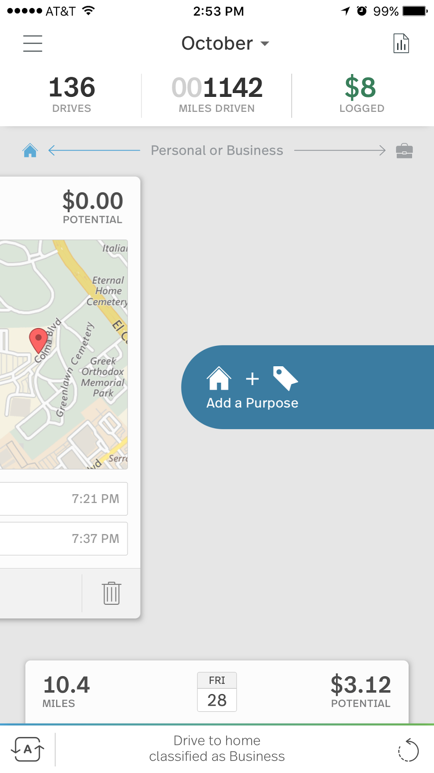
The primary classification categories with MileIQ is whether the drive was for business (swipe right) or for personal (swipe left). A simple swipe across the screen in either direction classifies the drive.
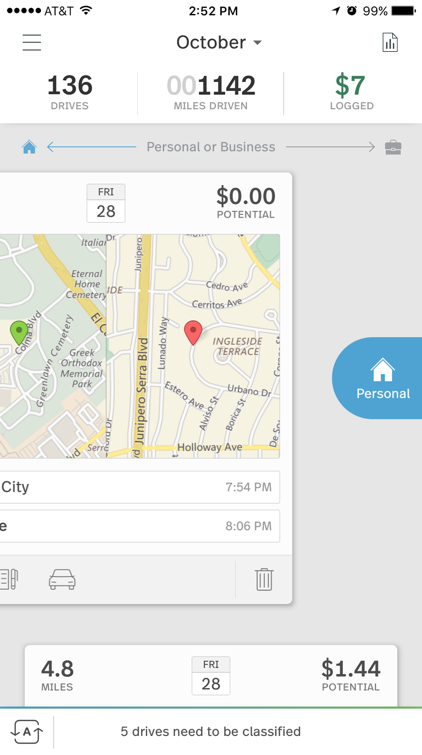
Custom Purpose Classification
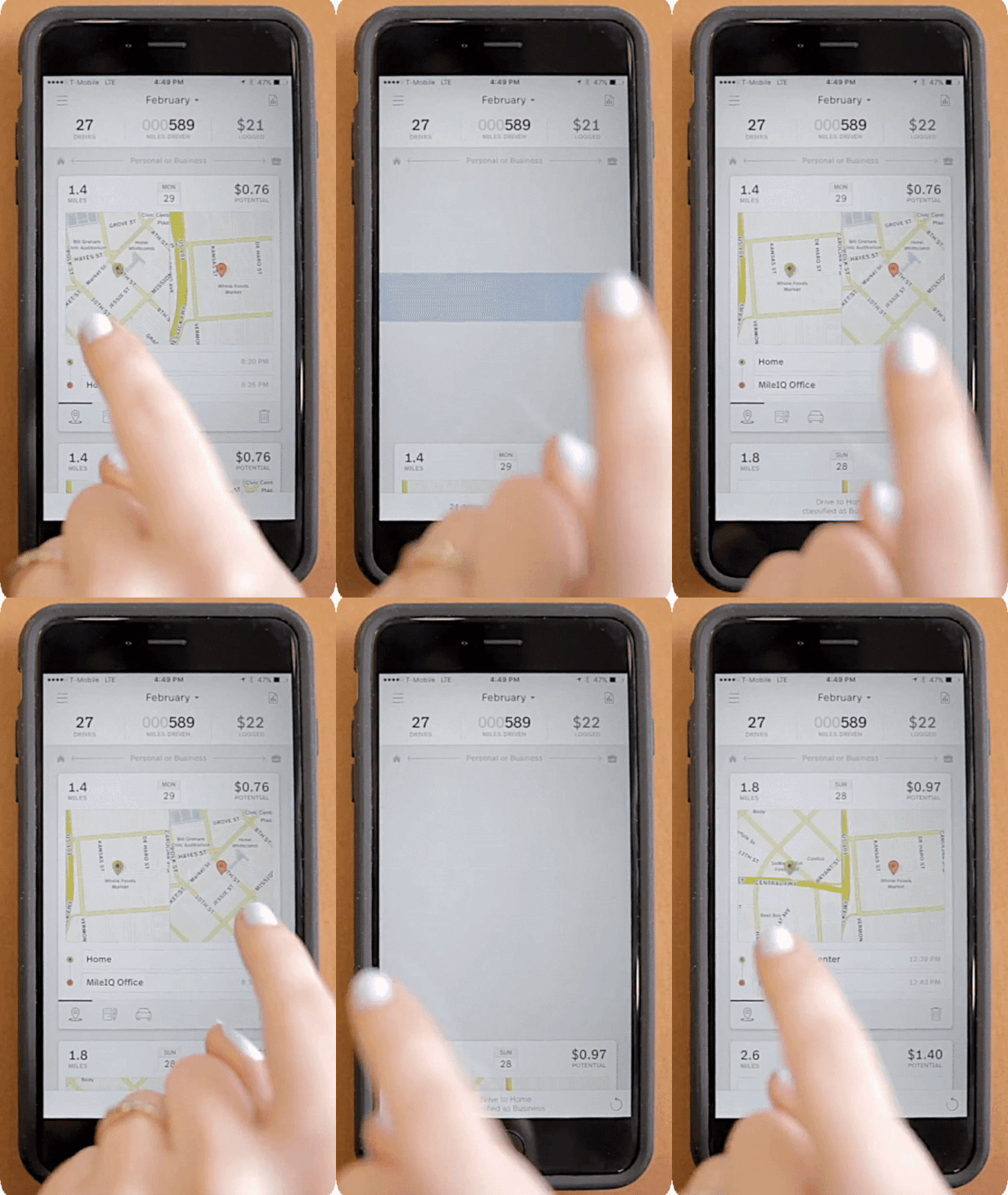
MileIQ now offers Custom Purpose classification with a long swipe and pause on our mobile app. Swiping a drive card halfway across the screen will reveal a "Choose Purpose" prompt.
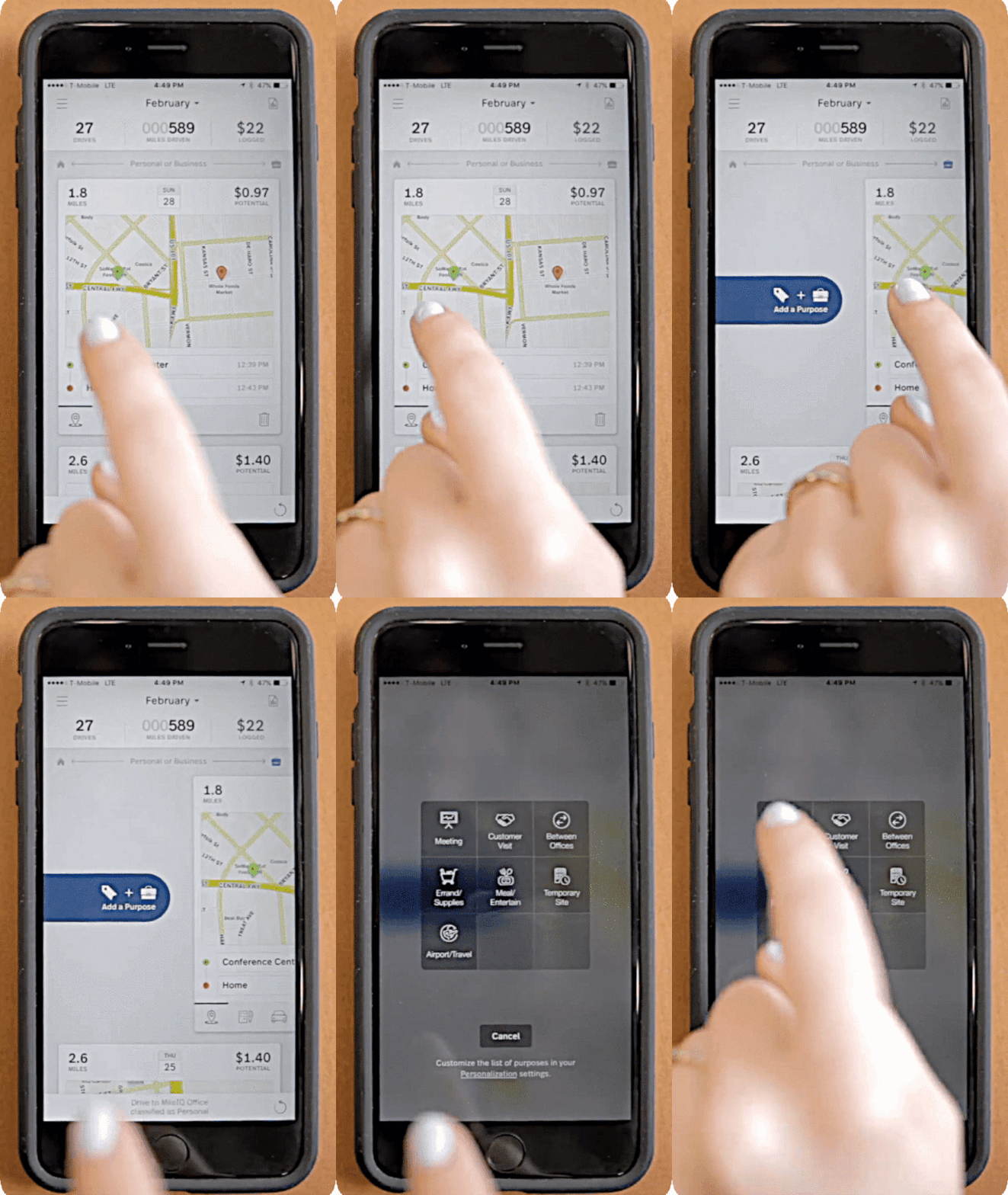
Releasing the drive card at this point will bring up the MileIQ Custom Purpose grid (on IOS) or a Custom Purpose list (on Android) with secondary classifications related to the primary category. Simply tap on the correct purpose, and the drive is now classified with the custom purpose.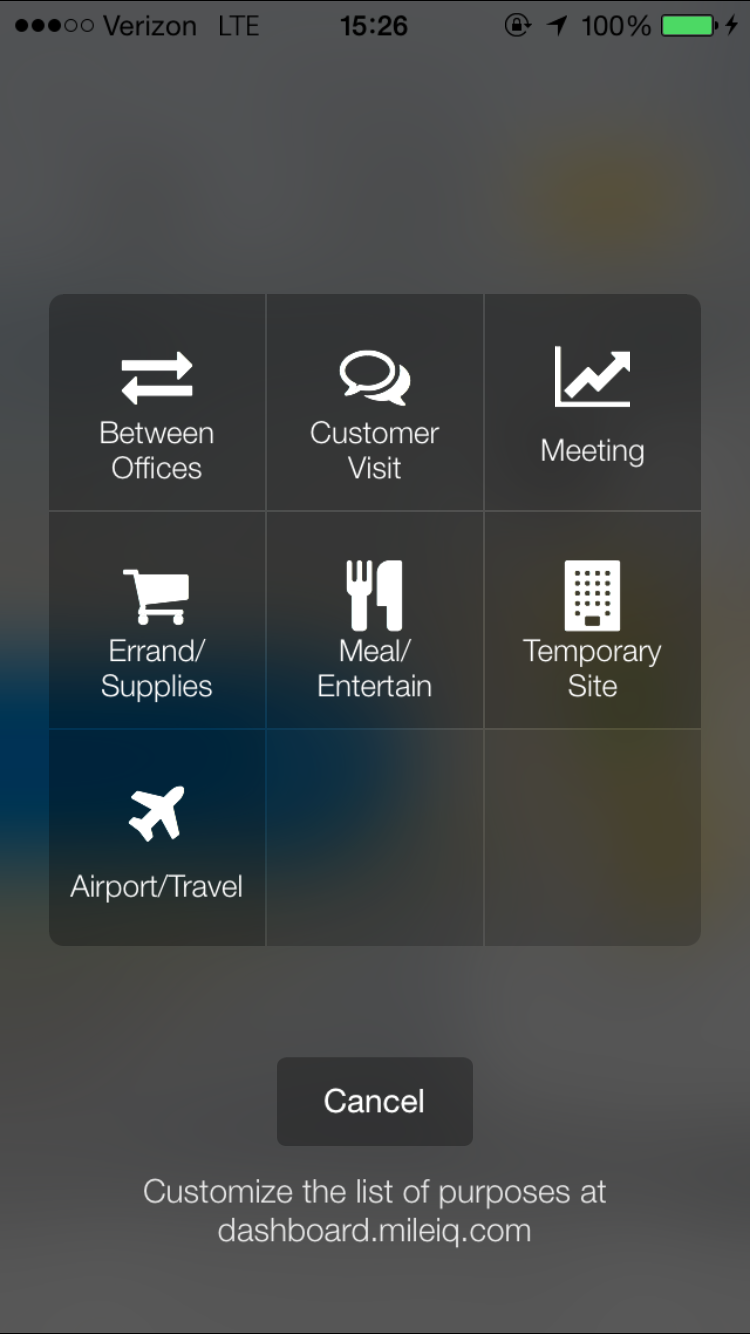
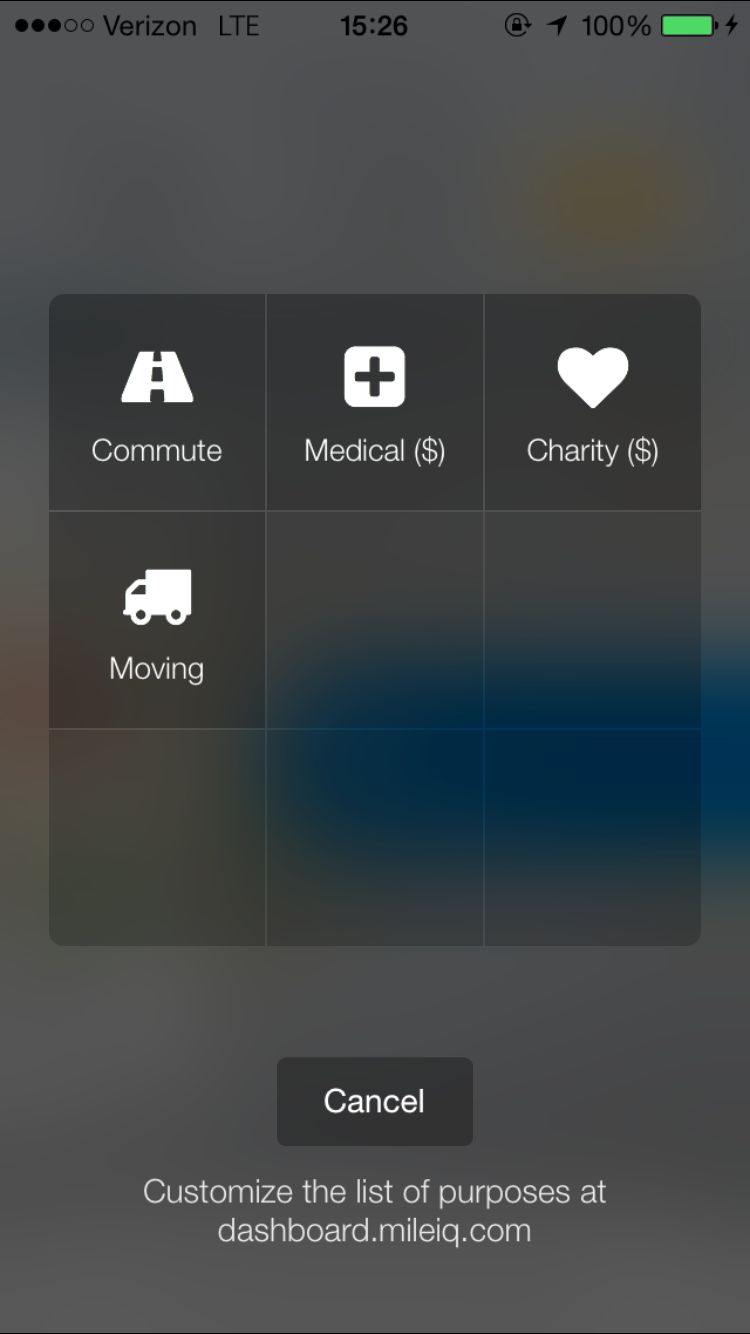
As shown above (example screen for iOS), the default secondary Business purposes are:
• Between Offices
• Customer Visit
• Meeting
• Errand/Supplies
• Meal/Entertain
• Temporary Site
• Airport/Travel
And the default secondary Personal purposes are:
• Commute
• Medical
• Charity
• Moving
The listed purposes can easily be added to and customized from the MileIQ web dashboard. For steps to create Custom Purposes, please see the How to: Create a Custom Drive Purpose article. Once the new purpose is added it will show up from the Custom Purpose Grid.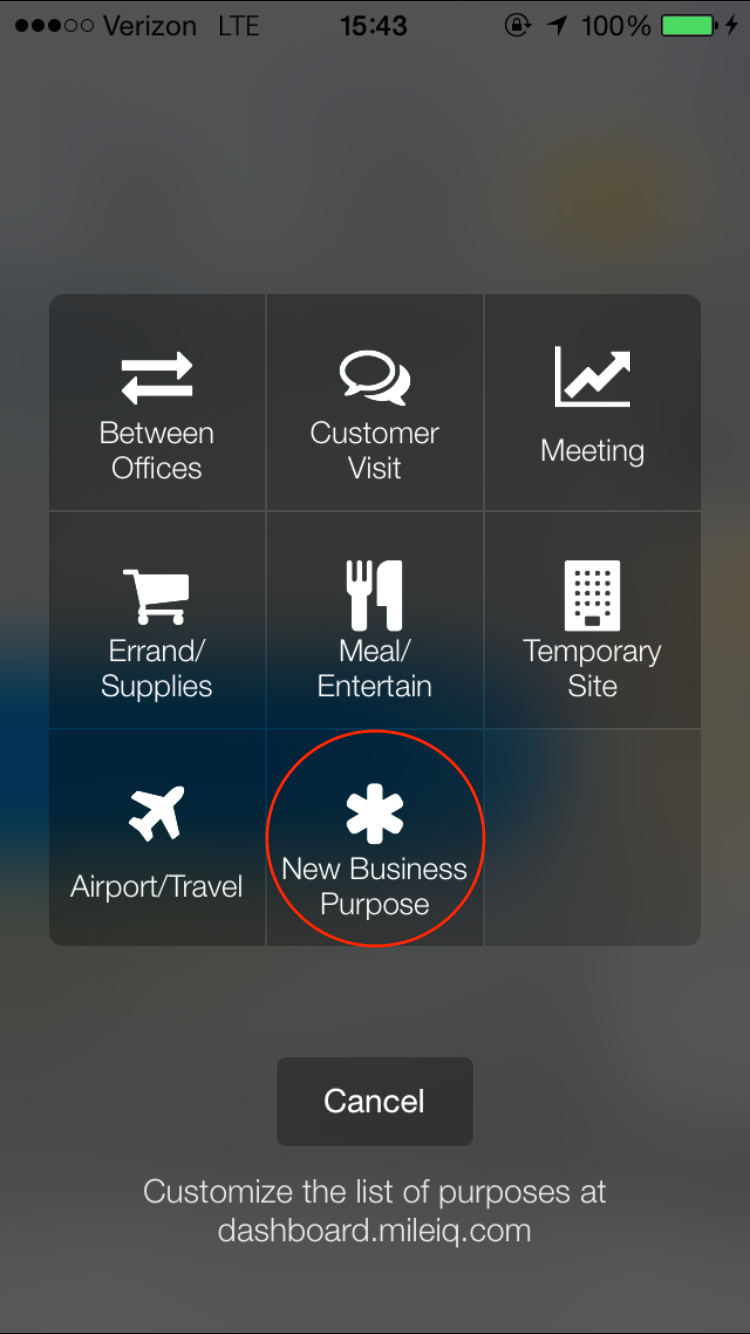
After your first classification, continue to drive as normal, allowing the app to capture all your drives. At the end of the month, you can create a report from our web dashboard (dashboard.mileiq.com) to submit to your employer or accountant for reimbursement. That's it!
iPhone and iPad Exclusive!
If you have MileIQ on an iPhone, then you can take advantage of our new classification features!
- Drive Classifier Widget
- Classify all of today's drives in a single tap without even opening the app!
- Classify Drives from your Notifications
- Classify a single drive as soon as you're notified!
- Only available on iPhone 7 and newer
Web Dashboard
Once logged into the MileIQ Web Dashboard at dashboard.mileiq.com, you'll see all your recent drives from the drive list. You can classify drives individually or as a group.